Image to Text Converter - Copy Text from Image
Use this online image to text converter to copy text from images, screenshots, and photos. It converts readable image content into editable text quickly and accurately for free.Up to 5 images, max 4 MB each
Results
Related Tools


Image to Text Converter by OCR Online - Accurately Convert Photo to Text
This image to text converter by OCR online is a free utility that uses advanced OCR technology and performs AI-based picture to text conversion. It also provides instant bulk photo to text conversions, allowing users to process multiple images at once.
Using this picture to text converter, you get accurate and quick results. For conversion, you don’t need any prior registration or subscription. Our tool allows you to copy text from screenshots, receipts, and other images. It eliminates the need for manual typing and helps you digitize printed documents easily.
How to Copy Text From Image?
You do not have to do much to copy text from images/photos by using our picture to text converter. Just follow these steps:
- 1
Open online image to text converter.
- 2
Upload your photos OR input the public URL of one.
- 3Click “Convert to text” button to initiate the photo to text conversion.
- 4
Wait for the image to text conversion to complete.
- 5
Once done, click the copy icon to copy text from image OR download it as a TXT, PDF, or DOCX file.
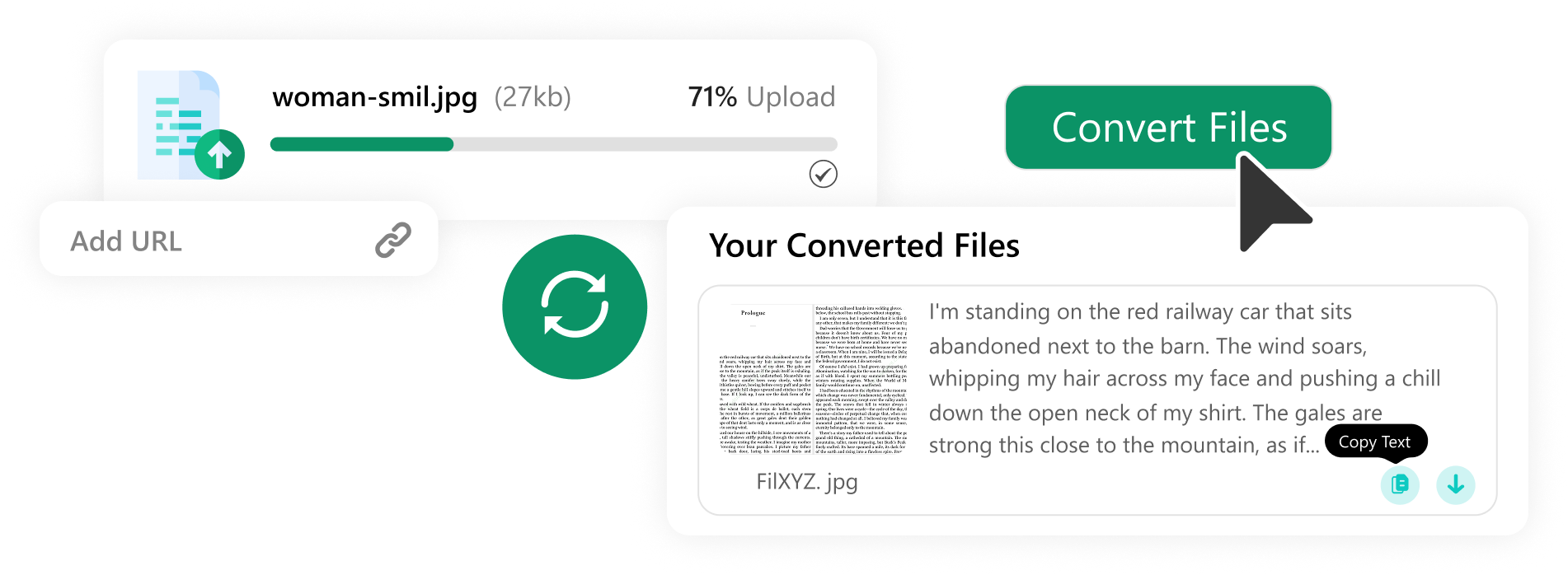
How Does Image to Text Converter Work?
Our online photo to text converter uses advanced OCR and AI technology to detect and recognize text in images. Here is how it works in practice:
- 1
The tool first preprocesses the image to improve text visibility and recognition.
- 2
It removes blur, fixes orientation, and cleans unwanted visual elements.
- 3
OCR technology then scans the file and detects readable text areas.
- 4
The system processes the recognized content and reconstructs it as machine-readable text.
- 5
AI recognizes letters, numbers, and symbols to interpret accurately.
- 6
The tool instantly converts everything into editable text.
- 7
You can then copy or download the converted text.
Features of Our Photo to Text Converter
Our Picture to text converter is designed to make conversion faster and easier for everyone. This photo to text tool also includes several other features; some are listed below.

Our image text extractor works smoothly with blurry, distorted, or low-quality images. It can efficiently detect and convert them into text, even when images include small or micro text.

It saves time by converting multiple files together. Upload and process up to 5 images at a time without slowing down your workflow.

Our photo to text converter combines OCR technology with AI to improve text detection accuracy and identify text more clearly from images.

It converts pictures to text efficiently, whether it’s written in any readable language. Simply upload the photo; the tool will convert it to text and provide the output in the original language.

The tool recognizes mathematical equations, formulas, and symbols from images. Our photo to text tool also converts handwritten text with better accuracy.

Accurately turns non-editable documents into fully editable text. It converts scanned documents, invoices, notes, reports, and forms without losing important details.
Our tool also works as a JPG to text Converter. Just upload files (JPG or JPEG), convert, and copy. Beyond JPG, you can also convert PNG, WebP, HEIC, GIF, and more.

This lets you convert screenshots to text efficiently and accurately. To convert, upload social media posts, slides, webpages, messages, or other screenshots from mobile or laptops.

Download converted text in multiple formats according to your needs. Save files as TXT, PDF, or DOCX with a single click.
Image to Text Converter – Use Cases
Picture to text converter by OCR Online is a practical solution for many everyday tasks.
Convert printed papers into digital text files and reduce paper clutter at home, school, or the office.
Skip long hours of typing. Convert images into text and editable documents instantly with a few clicks.
Turn old records, books, notes, and documents into digital archives for easy storage and access.
Detect and convert small text from low-quality, zoomed, or detailed pictures with better accuracy.
Convert handwritten or printed notes into editable digital text for easy editing, sharing, and saving.
Frequently Asked Questions
Yes, using our JPG to text converter utility, you can easily copy text from screenshots. Just upload a screenshot, press convert, and copy the text. It’s easy and free.
Yes, our JPEG to text converter by OCROnline.io efficiently converts JPEG to text. No separate utility is needed to convert JPEG files to text. Just upload JPEG files, convert, and copy. In fact, you can use it to convert other file types like JPG, PNG, AVIF, SVG, TIFF, and more.
Open online image to text converter tool. Upload your image and click the convert to text button. Wait for the conversion of the pic to text to complete, and then click the copy icon to get the text copied to the clipboard.
Converting a pic to text is very easy with our images to text converter, which supports bulk conversion. You can convert 5 images into text at a time, with a total upload limit of 4MB for each.
Yes, by using the picture to text tool, you can directly convert an online image into text. Just add the public URL of the image inside the provided input box and click convert. It instantly converts your online image to text and provides the complete results.